- Visure + Autodesk Fusion · 3D CAD Model
Requirements Automatically Connected to Your 3D CAD Model
The Challenge
Requirements and 3D CAD Models Still Live Apart
No Live Link to the 3D CAD Model
Hardware and Software, Different Clocks
Slower Time to Market
See It Live
Watch the Integration in Action
Learn how Visure and Autodesk Fusion sync in real time.
Requirements-to-3D CAD Model Integration Benefits
See the Integration in Action
01 · AI-Assisted Traceability
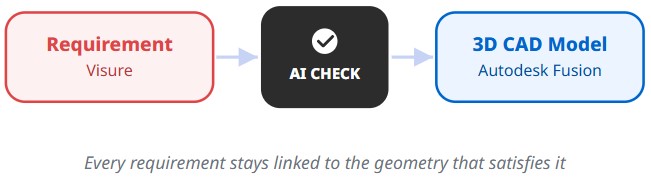
Every requirement, traced to the exact 3D feature.
- Requirement-to-Geometry Linking. Click through from a requirement to the 3D feature that implements it.
- AI-Suggested Mapping. For unmapped requirements, AI suggests a match to the model, one click to confirm.

02 · AI-Powered Change Impact
Know what a design change affects before it ships.
- AI-Flagged Impact. A CAD update surfaces every requirement it affects, ranked by AI so the biggest risks surface first.
- Governed Approval. Flagged changes route through sign-off before the model updates.

03 · AI-Generated PRD
Let AI draft the PRD, your team refines it.
- AI-Drafted Requirements. Turn raw notes into a structured PRD in minutes, not days.
- Human-Reviewed Before Baseline. Every AI draft is reviewed and approved before it ships.
04 · AI-Powered Compliance Checking
AI checks the model against the spec, and can draft it too.
- Automated Non-Compliance Detection. AI compares the 3D CAD model to its requirements and flags mismatches.
- AI-Generated Model Drafts. Generate a starting 3D CAD model directly from a set of requirements.
The Digital Thread
One Thread, From Requirement to Verification

The Digital Thread with visure
One Thread, From Requirement to Verification
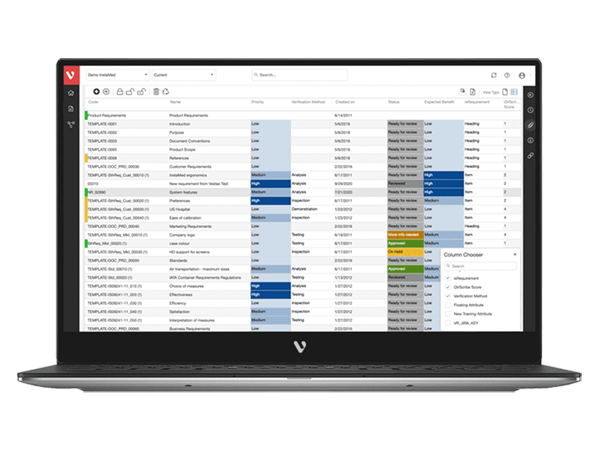
Get the Requirements-to-3D CAD Datasheet
Autodesk Fusion
Design in Fusion, Stay Connected to Every Requirement

Visure + Autodesk Fusion
Frequently Asked Questions
Can’t find an answer? Contact our team →
Open the Visure Requirements panel inside Fusion, select an unmapped requirement, and click through to the 3D feature that satisfies it, or accept the AI-suggested match with one click. The link stays live from then on.
A live, bidirectional link between a requirement in Visure and the exact 3D feature in Fusion that satisfies it.
MCP (Model Context Protocol) is what lets Visure's AI read and act on your live Autodesk Fusion model directly, comparing it to requirements and generating first-draft geometry, without manual export or import steps.
Yes. Built on MCP, AI can produce a first-draft 3D CAD model directly from a set of requirements, which your team then refines in Fusion.
Built on MCP, AI compares your 3D CAD model against its linked requirements and flags anywhere the two don't match.
Autodesk Fusion runs in the cloud and focuses on 3D modeling, engineering, and simulation, not business processes like BOM or change-order management. Visure can run in the cloud or on-premise, whichever your program requires.
Get Started
Ready to Connect Requirements to Your 3D CAD Model?
Talk to Our Team
By submitting you agree to Visure’s Privacy Policy.
- 14-Day Trial
- Cancel Anytime
- All Features Included